Design tables and backdrops
Choose linens, place settings, centerpieces and chairs, check the sight line, and design photo backdrops.
Tables
Design Tables holds your table designs. Signature looks set a whole table in one tap. Or press New design and choose:
- Linen: fabric, tablecloth color, floor or lap length, runner and overlay. If you keep linen inventory, the app shows how many you need and how many you have.
- Place setting: charger, dinner plate, napkin color and fold, flatware, glassware, menu card and place card.
- Centerpiece and its flower colors.
- Chairs: style, seat cushion and sash.
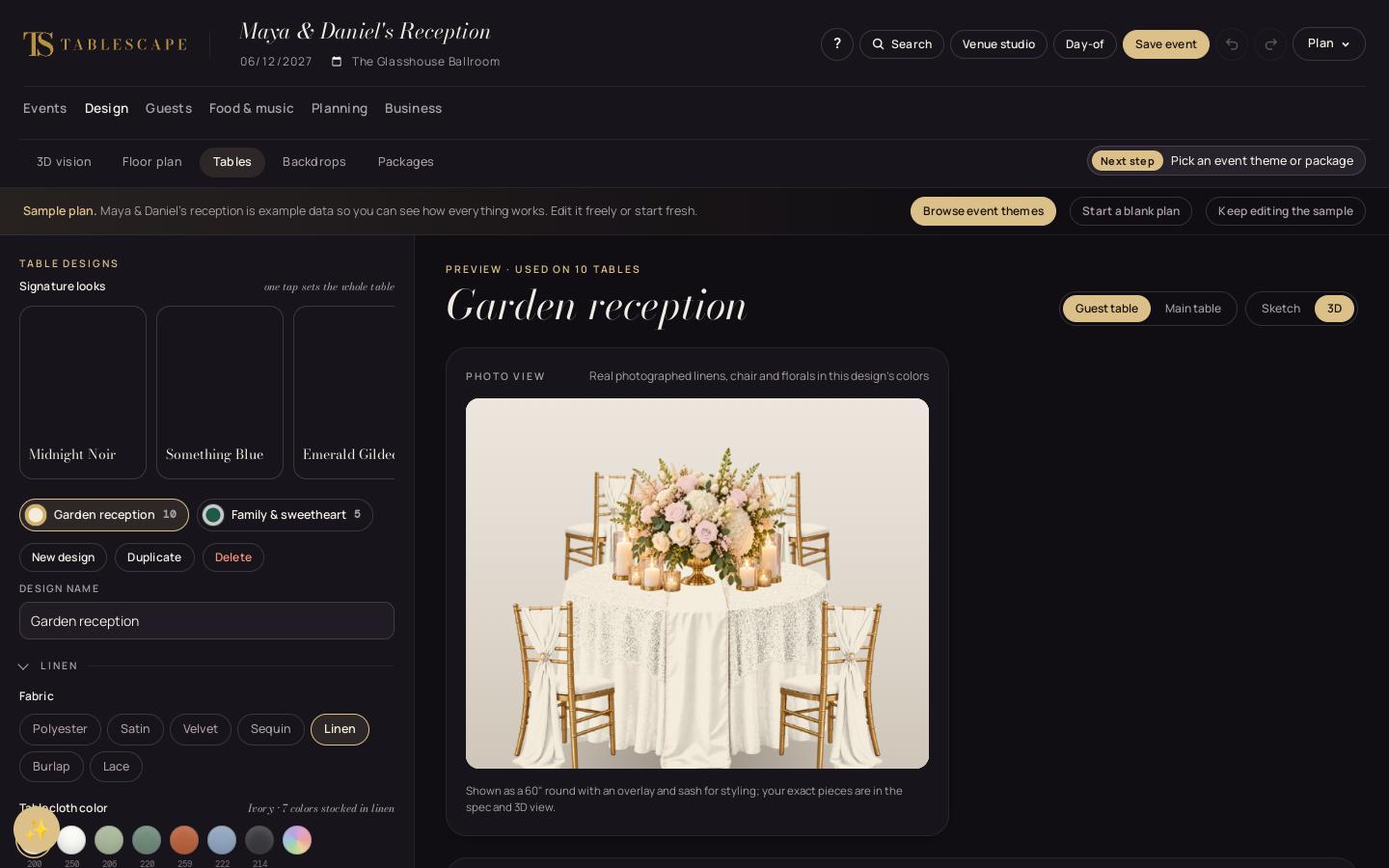
The preview shows the design as a guest table or the main table, a photo view with real photographed linens and florals in your colors, a 3D close-up and a side view with the sight line, so you can see whether guests can talk over the centerpiece. The Spec list is what goes to rentals and florals. Press Use on every table or place designs table by table on the floor plan.
Backdrops
Design Backdrops designs photo booth walls, sweetheart backdrops and seating chart displays. Start from a theme or a specialty wall (rose walls, hydrangea, boxwood with neon, crystal curtains, gold mirror tiles and more), then set the structure, size, frame, surface, pattern, florals, sign text and floor décor. Placed at puts it at the dance floor, bar, cake table, photo booth or sweetheart table, and See it in the Vision shows it in 3D.
The backdrop's To order list, such as stems for a flower wall, also appears on the order sheet.