The banquet event order, built from the event.
A BEO goes wrong when someone retypes it. In Tablescape the BEO is printed from the event itself: the counts come from the RSVPs, the timeline from the run of show, the layout from the floor plan. Change the event and the next print is right.
The BEO comes with Studio and Signature, from $109 a month billed yearly. The 30-day trial is Signature, so it is all there from day one.
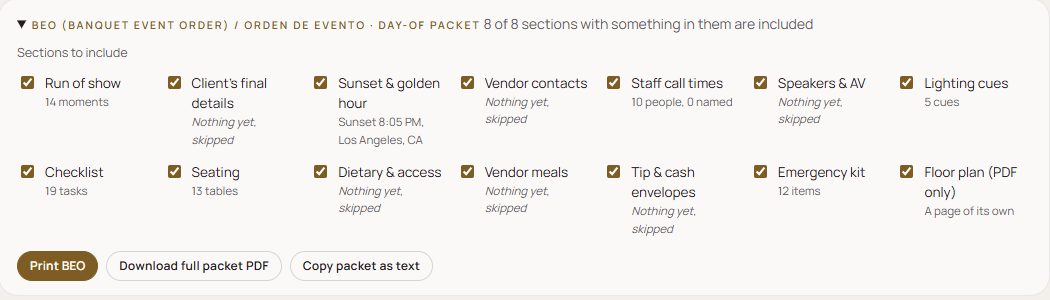
What the BEO says, and where it comes from.
Each section is filled from a part of the event your team already keeps up to date.
| BEO section | What it lists | Filled from |
|---|---|---|
| Food and beverage | Service style, guest count, entrées by count, sides, kids’ meals, the bar and the cake | RSVPs, the menu, the bar package, the cake design |
| Run of show | Every moment from vendor load-in to the last dance, with times and who is responsible | The timeline, checked for overlaps and gaps |
| Client’s final details | What the client confirmed at the end, with their day-of emergency contact | The client’s Final details on their link |
| Day-of contacts | Who to call for what, with phone numbers | The vendor contacts |
| Staff call times | Who arrives when, by role | The staff schedule |
| Speakers and AV | Each speaker’s time, length, session and microphone or AV needs, plus the AV rider | The speakers and AV list |
| Dietary and access | Each guest with a need, their table and seat number, and what they need | RSVPs, diet tags and guest notes |
| Vendor meals | Plates for the DJ, the band, the photographer and the crew, with a total | The vendor list |
| Floor plan | The layout on a page of its own | The floor plan |
One number, everywhere.
Lock the final count and the BEO, the kitchen sheet and the order sheet all use it. A family that adds twelve guests after the lock gets a change order on their link, and the kitchen hears about it from the next print, not from the coordinator at 5 pm.
Everything the captain carries.
The full day-of packet adds the sunset time, lighting cues, the checklist, the seating, tip and cash envelopes and the emergency kit. Print the BEO alone for the kitchen and the full packet for the captain.
Staff links for the people who won’t read paper.
Setup crew, kitchen and service, bar, and DJ and AV each open a link with only their part of the night, in English or Spanish, with no sign-in. The door scans tickets with a phone camera, offline if it has to.
Not ready for software? Take the template.
Our free BEO template has every section above, as a spreadsheet for Excel or Google Sheets, with a filled-in example for a 220-guest wedding.
Or start your free month and print one from a sample event.
Questions about BEOs.
What is a BEO?
A banquet event order is the working document for one event: the menu and counts, the timeline, the room setup, the bar, the staffing and the special requests. The kitchen, the floor captain and the bar all work from it, so it has to match the contract and the final count.
What is BEO software?
Software that builds the banquet event order from the event record instead of a blank document, so counts, times and layouts come from one source. In Tablescape the BEO prints from the guest list, menu, run of show, staff schedule and floor plan.
Can the BEO be printed in Spanish?
The BEO prints with each section title in English and Spanish. Menu items, names and notes print as your team typed them.
Can I email the BEO?
Yes. Download it as a PDF, or use Copy packet as text and paste it into an email or a group chat.