Plan your first event from a theme or package
Set up a new event (room, guests and tables), choose the design or a theme, fill in the client and date, and save it.
You can start an event three ways from the Events page: New event, New from a theme, or from a template you saved from a past event. A new event asks for the room, the guest count and your tables before it places anything.
Start the event
- Go to Events All events and press New event. Choose the room, then the guest count and the event name.
- Say how many tables of each kind you want, or let the app suggest a mix for your guest count. If the venue has set limits for the room, each kind shows how many you can have.
- Press Place the tables. They go into the room around the dance floor, the head table up front, and you choose what to design next: the room, the tables or a theme. New from a theme works the same way and offers the theme first.
- Under Current event, fill in the client name, email and phone, the status (Inquiry, Proposal sent, Booked, Completed or Cancelled) and the lead source.
- Set the event date. If the date is not booked yet, use Hold 2 weeks to mark it held.
- Press Save event. The first save creates the event and its client link.
Apply a package
Packages set up linens, tableware, florals, chairs, cake, bar, dinner, hors d'oeuvres, backdrop and add-ons in one tap, and keep your theme's colors. Open Design Packages, choose the kind of event (wedding, quinceañera, corporate, holiday party, graduation, prom, community event or seminar) and press Apply to this event on a tier.
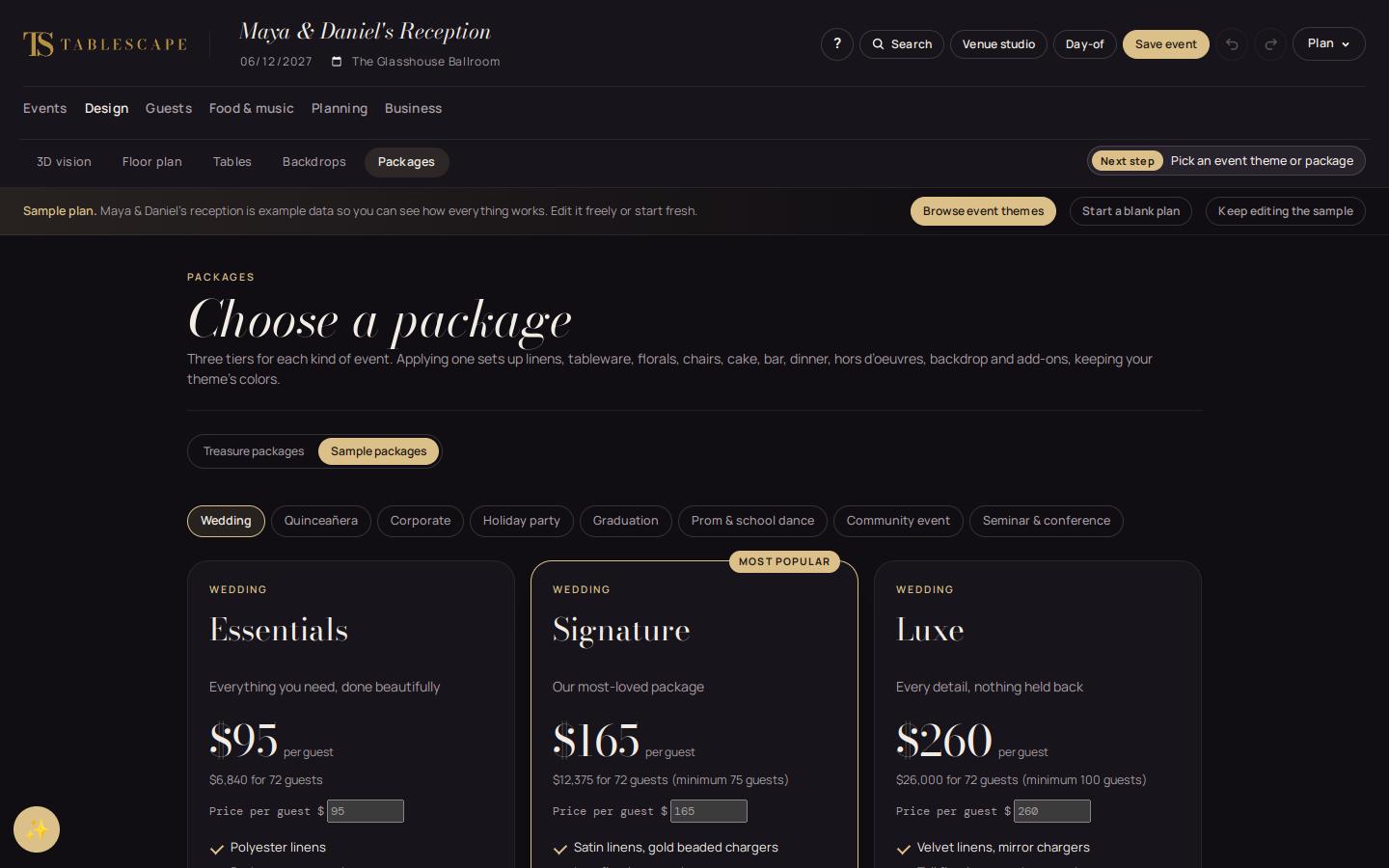
The sample tiers and prices are starting points. Edit the price per guest and what each tier includes to match your business, then press Save package prices for everyone so your whole team uses them.
Reuse a past event
When an event turns out well, press Save current event as template on the Events page. A template keeps the layout, designs, backdrops, menu, bar, music, timeline and checklist. It leaves out guests, client details and payments, so the next client starts clean.
Good to know. The Getting started list on the Events page follows this order: theme or package, venue and floor plan, tables, guests, menu, invitations, proposal and contract, then saving.