Find your way around the studio
The six groups in the top bar, the Next step chip, the Getting started list and Ctrl K.
Everything for one event sits in the top bar, grouped the way an event is planned. The event you are working on is always the one named under Current event on the Events page.
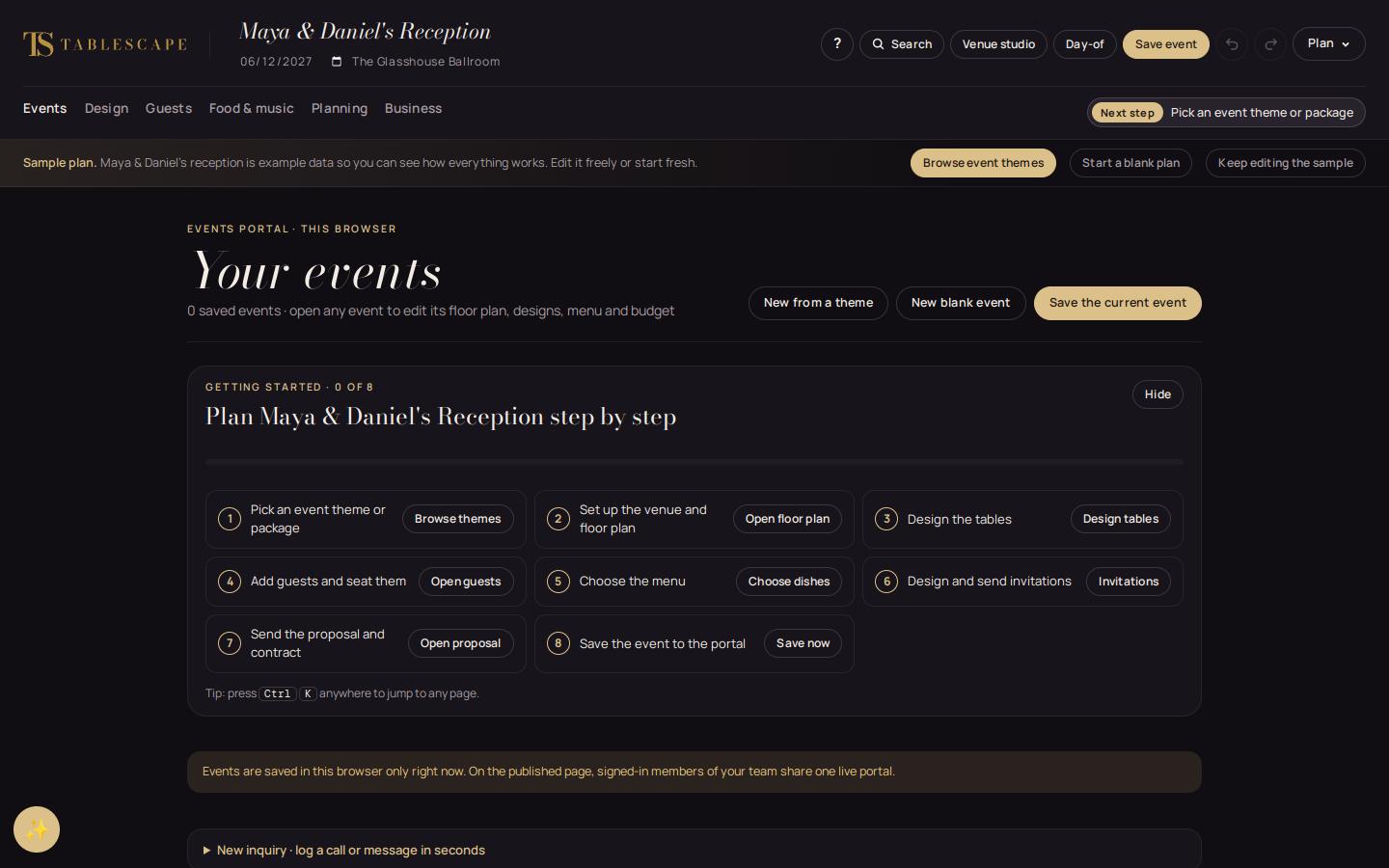
The groups
- Events
- All events, the pipeline, clients, the calendar, reports and venues. Also templates, the vendor directory, your team and company, backups, integrations and the menu catalog.
- Design
- Floor plan, Venue design, Tables, Backdrops and Packages.
- Guests
- Guests and seating, and Invitations and website.
- Food and music
- Menu, cake and bar, and Music and lighting.
- Planning
- Run of show, Follow-ups, Day of, Check-in, Valet, Checklist and Vendors.
- Business
- Proposal and billing, Budget, Order sheet and Inventory.
Shortcuts
- Ctrl K (Cmd K on a Mac) opens a search box that jumps to any page.
- Next step in the top bar names the most useful thing to do next for this event.
- Getting started on the Events page walks a new event through eight steps, from a theme to saving it. Hide it once you know the way.
- Day-of opens the phone screen your staff use on the night. See Day-of mode and staff links.
Tip. Save often with Save event in the top bar. On app.tablescape.vip, everyone signed in to your company shares the same live events.